
Most Affordable 24/7 Appointment Booking Solutions for Small Businesses (2026)
Small businesses lose revenue every day when leads call after hours and reach voicemail instead of a booking system. The right appointment scheduling platform captures those inquiries automatically, without adding staff.
Key Takeaways
After-hours lead loss costs service businesses 30-40% of potential revenue, making 24/7 booking systems key for growth
Calendar-link tools require customers to self-book via web links, while AI voice agents autonomously handle inbound phone calls
Free tiers from Square, Cal.com, and Setmore work for low-volume web leads; AI voice agents justify cost when after-hours phone inquiries are frequent
CRM integration depth varies—native bi-directional sync eliminates manual data entry, while basic integrations require middleware like Zapier
Total cost includes hidden fees for SMS, payment processing, and support—usage-based pricing often beats flat rates for variable call volume
The most affordable 24/7 appointment booking solutions for small businesses are autonomous scheduling platforms that handle inquiries outside business hours—turning what would be lost opportunities into confirmed bookings while you sleep. For service businesses, missed after-hours contact attempts don't pause revenue; they redirect it to competitors with round-the-clock availability.
The After-Hours Lead Loss Problem
Most inbound leads arrive when your team is offline. A potential client calls at 6:30 PM, gets voicemail, and moves to the next search result. Revenue leaks happen at the inquiry stage, not during the sales conversation—by the time you return the call, they've already booked elsewhere[6][11]. Manual scheduling creates structural gaps: evenings, weekends, and holidays represent 128 hours per week when traditional businesses are dark but customer intent remains high.
Quantifying the Cost of Manual Scheduling Gaps
Staff-dependent scheduling consumes 10-15 minutes per appointment[1] across calls, confirmations, and rescheduling. For a practice handling 40 appointments daily, that's 8-10 hours of scheduling labor weekly, time that generates zero revenue[7]. The compounding cost isn't just labor: each after-hours inquiry that reaches voicemail instead of a booking system represents a lead with unknown lifetime value lost to faster responders. Autonomous booking systems eliminate the window between inquiry and confirmation, converting intent into scheduled revenue regardless of clock time.
Understanding the architectural difference between passive calendar links and active voice agents clarifies which model fits your lead capture workflow.
Traditional Appointment Scheduling vs. AI Voice Booking: What's the Difference?
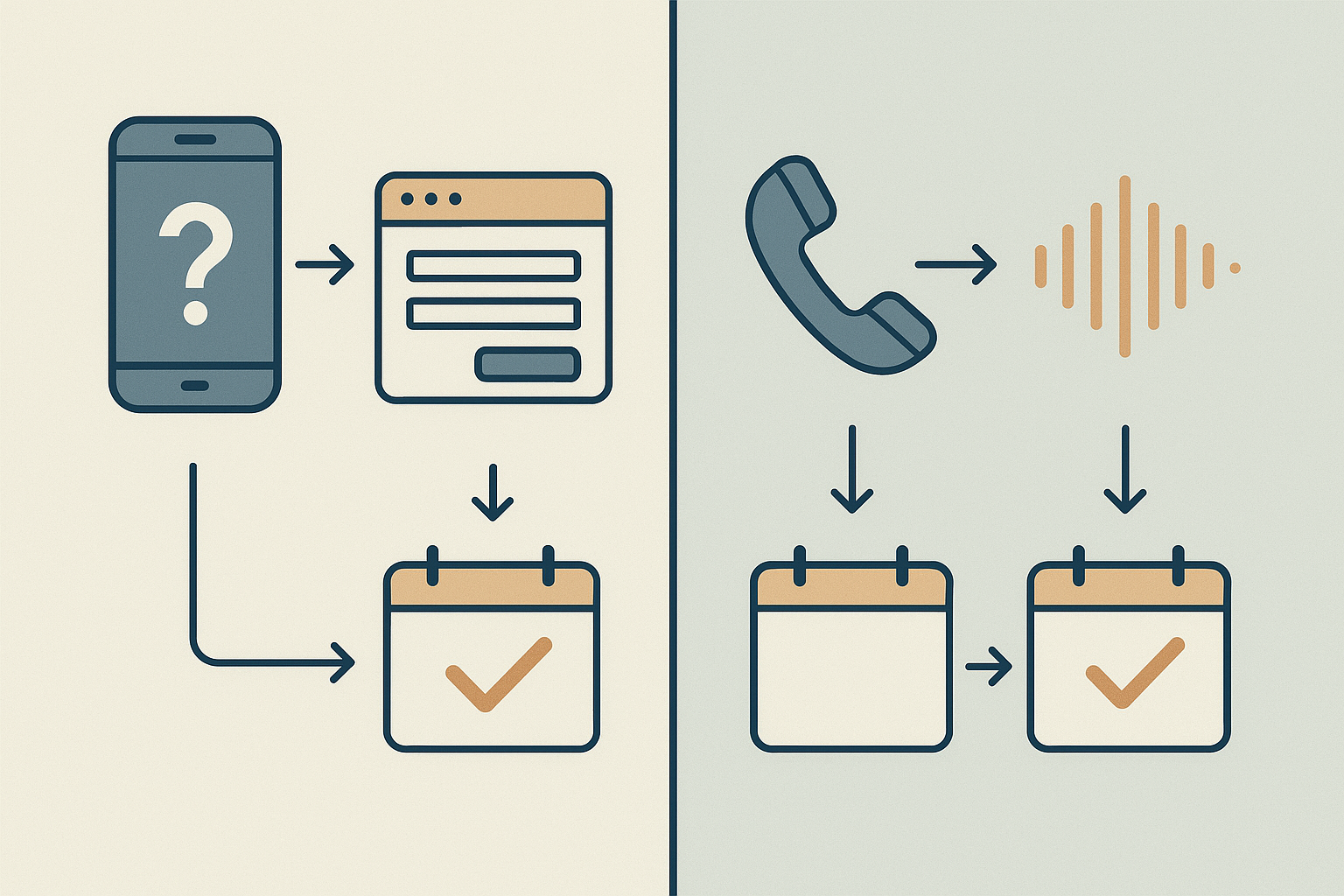
Understanding the fundamental architecture of appointment booking systems helps small businesses choose tools that match their after-hours lead capture needs. The two dominant categories operate on entirely different models, one waits for customers to act, the other acts autonomously.
How Traditional Schedulers Work (and Their Limitations)
Calendar-link tools like Calendly and Acuity operate on a customer-initiated model. You share a booking link, prospects open it, view your availability grid, and select a slot. The back-and-forth email coordination disappears[2], but three limitations persist: customers must take the first step, they book only during hours you've marked available, and you still manually handle confirmation workflows, reminders, and no-show follow-ups. When a lead calls your business at 9 PM on a Saturday, these tools offer no response, the opportunity sits in voicemail until Monday morning.
How Autonomous AI Voice Booking Works
Autonomous voice agents flip the script: the system answers inbound calls 24/7, converses with the caller to understand their needs, checks real-time calendar availability, confirms appointments directly[3], and triggers follow-up sequences, without waking a human. The AI handles after-hours calls, routes inquiries, and collects details[8][11], turning missed opportunities into booked appointments. Where calendar-link tools require the prospect to find your link and navigate a web interface, voice AI meets them on their terms: a phone call answered instantly, regardless of time zone or business hours.
With the landscape mapped, focus shifts to feature evaluation, the capabilities that separate shelf-ware from tools that drive revenue.
Key Features to Look for in Affordable 24/7 Booking Solutions
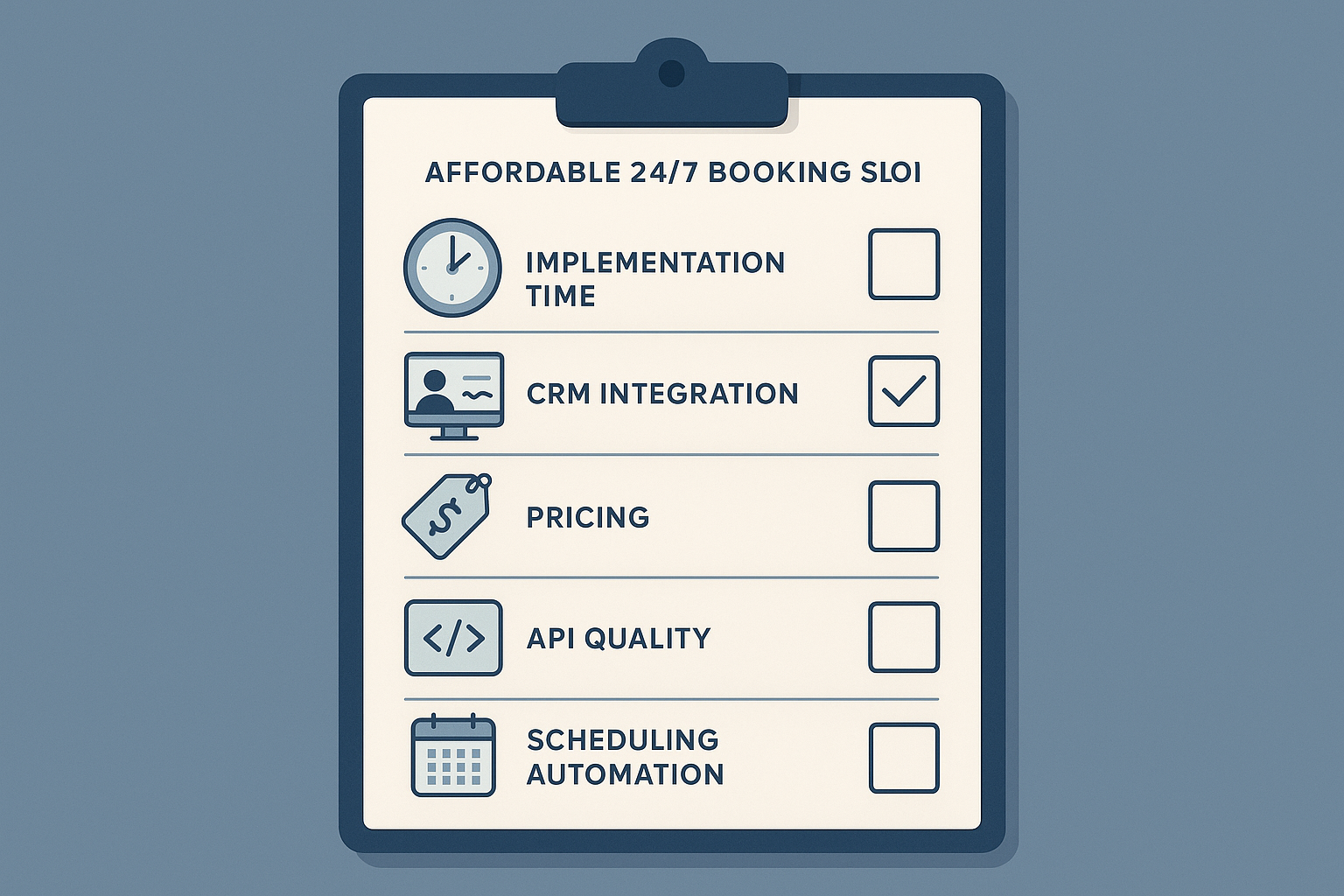
Before comparing specific platforms, establish your baseline criteria. Small business appointment scheduling demands different features than enterprise solutions, your evaluation framework should reflect budget constraints and operational simplicity.
Must-Have Features for Small Business Budgets
Core functionality defines whether a platform serves small teams or becomes shelf-ware. Prioritize these capabilities:
True 24/7 availability, automated booking outside business hours without staff intervention
Bi-directional calendar sync, two-way updates with Google Calendar, Outlook, or iCal to prevent double-bookings
CRM integration, native connectors or API access to sync contact records and appointment history
Mobile-responsive booking pages, over 60% of appointment requests now originate on mobile devices[2]
Payment processing, collect deposits or full payment at booking to reduce no-shows
Transparent pricing, no hidden per-seat minimums or usage tier surprises
Setup Complexity and Technical Requirements
Implementation timelines separate small-business-friendly tools from enterprise products. Evaluate API documentation quality if you need custom integrations, some platforms advertise "open APIs" but require developer support contracts. Look for onboarding flows designed for non-technical users: visual workflow builders, pre-built CRM sync templates, and same-day activation paths. Platforms requiring IT staff involvement or multi-week setup windows rarely fit small team operations.
Compliance Considerations for Automated Booking
Our research found limited authoritative guidance on TCPA and call recording requirements for automated booking systems, consult legal counsel for your jurisdiction. At minimum, verify that platforms offer audit logs for appointment communications, consent capture workflows for SMS/email reminders, and data encryption at rest. GDPR and CCPA compliance features appear in many tools' marketing materials but implementation depth varies widely.
We evaluated platforms against these criteria in the comparison below.
Armed with baseline criteria, a side-by-side platform comparison reveals which tools deliver 24/7 coverage within small business budgets.
Platform | Starting Price | 24/7 Autonomous | CRM Sync | Best For |
|---|---|---|---|---|
EchoLeads | Contact for pricing | Voice + WhatsApp | Bi-directional | High-volume sales teams |
Emitrr | Contact for pricing | Multi-channel | Healthcare focus | Medical practices |
GoodCall | Contact for pricing | Voice agent | Basic | Service businesses |
My AI Front Desk | $44.99/mo | Voice receptionist | Basic | Small offices |
Cal.com | Free self-hosted; $12/mo cloud | Link-based only | Basic | Tech-savvy teams |
Calendly | Free tier; $10/mo paid | Link-based only | Limited | Solo professionals |
Square | Free with transaction fees | Link-based only | Square ecosystem | Retail + services |
Setmore | Free tier; $9/mo paid | Link-based only | Limited | Multi-location businesses |
Acuity | $16/mo | Link-based only | Moderate | Service providers |
Calendar-Link Tools: Calendly, Cal.com, Square, Setmore, Acuity
Traditional scheduling platforms rely on customers clicking a calendar link to self-book. Calendly and Cal.com dominate this space with free tiers and paid plans starting around $10 to 12/month. Square bundles free booking with its payment processor but charges transaction fees. Setmore[4] offers a $9/month entry tier for multi-location businesses, while Acuity[5] starts at $16/month with deeper customization. All provide 24/7 booking *availability*, but the customer must initiate the action. Free tiers often have hidden limits, verify SMS quotas, payment processing fees, and seat minimums before committing.
AI Voice Booking Agents: EchoLeads, My AI Front Desk, GoodCall, Emitrr
Autonomous voice AI platforms handle inbound calls and book appointments through conversation, no customer link-clicking required. My AI Front Desk starts at $44.99/month with a voice receptionist focused on single-location offices. GoodCall and Emitrr offer multi-channel voice agents; both require contacting sales for pricing, with Emitrr specializing in healthcare workflows. EchoLeads operates 24/7[9], processing concurrent booking requests across phone, WhatsApp, and web chat with bi-directional CRM sync and compliance-first architecture. Pricing is custom; best for high-volume sales teams needing end-to-end automation beyond appointment capture.
Beyond platform selection, understanding the step-by-step mechanics of AI voice booking demonstrates how autonomous agents turn midnight calls into morning revenue.
How AI Voice Agents Handle After-Hours Appointment Requests
Inbound Call Workflow: Greeting to Confirmation
When a caller reaches your business at 11 PM on a Saturday, an AI voice agent executes a complete booking workflow autonomously:
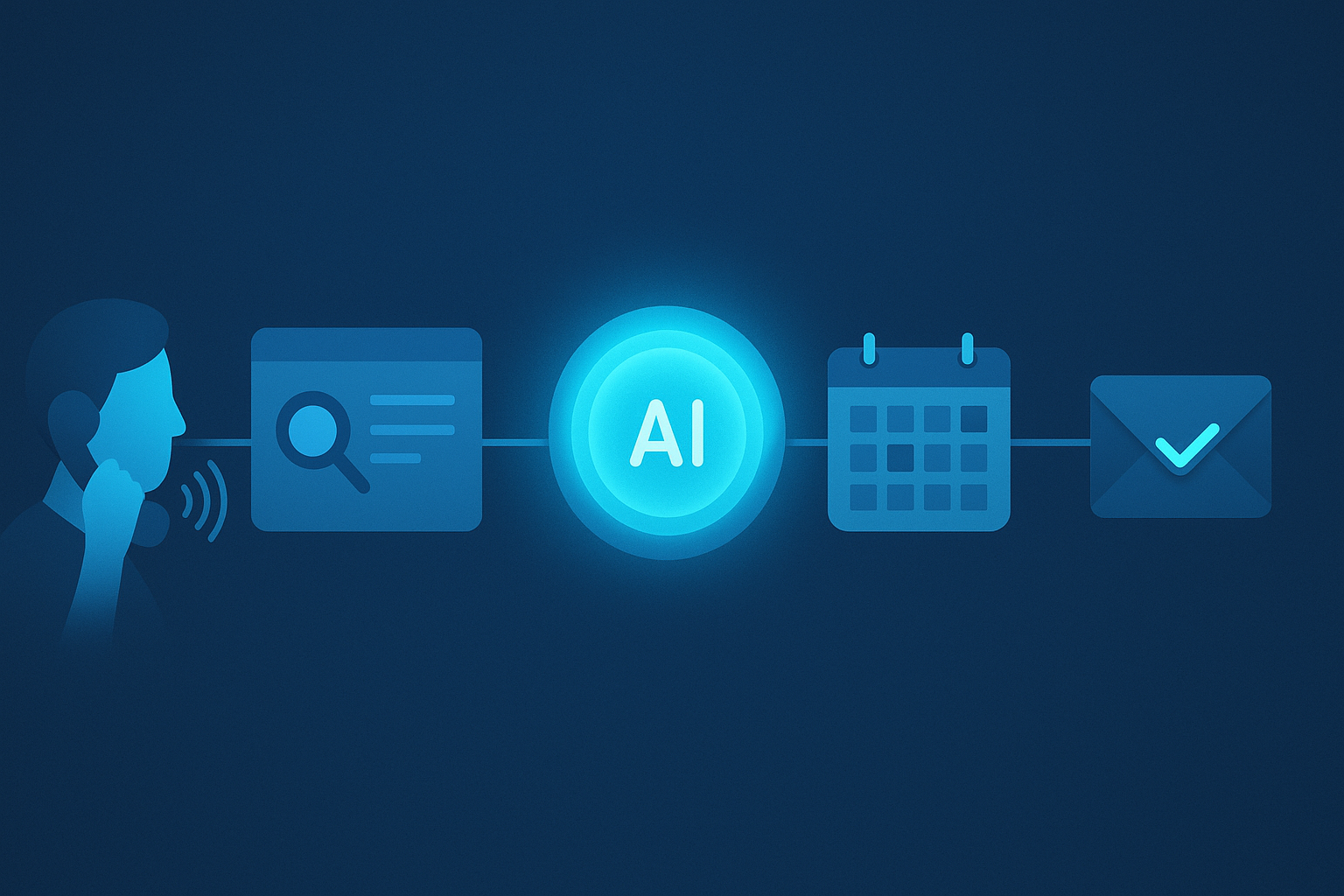
Call answering and intent detection: The agent greets the caller and identifies the request, "I need a plumber tomorrow morning", within the first exchange.
Availability check: The system queries your synced calendar in real time, identifying open slots that match service duration and technician availability.
Slot presentation: The agent offers specific options: "I have 9 AM or 11 AM available tomorrow. Which works better for you?"
Reservation and confirmation: Once the caller selects 9 AM, the agent collects required details (address, contact, service type), reserves the slot, and confirms: "You're booked for 9 AM tomorrow at 123 Main Street. You'll receive a text confirmation shortly."
This end-to-end autonomy contrasts sharply with calendar-link tools, which require the customer to click a link, navigate a booking page, and self-select a slot, friction that causes 40 to 60% drop-off after hours when patience is lowest.
CRM Integration and Follow-Up Automation
The moment the call ends, bi-directional CRM sync updates your calendar, logs call details (duration, sentiment, booking status), and triggers automated follow-ups, all without manual data entry. Platforms like EchoLeads provide timezone-aware booking and automated confirmation calls, ensuring patients or clients can book, reschedule, and confirm appointments through conversation alone. After-hours lead capture becomes a revenue engine rather than a missed-call log[6][11]. The agent routes inquiries to relevant departments, collects patient or customer details, and reduces missed opportunities, operating 24/7 without the exhaustion or coverage gaps that plague manual teams.
Feature lists mean little without pricing context, breaking down subscription models, hidden fees, and total cost of ownership reveals what 'affordable' actually means.
Pricing Breakdown: What 'Affordable' Really Means for Small Businesses
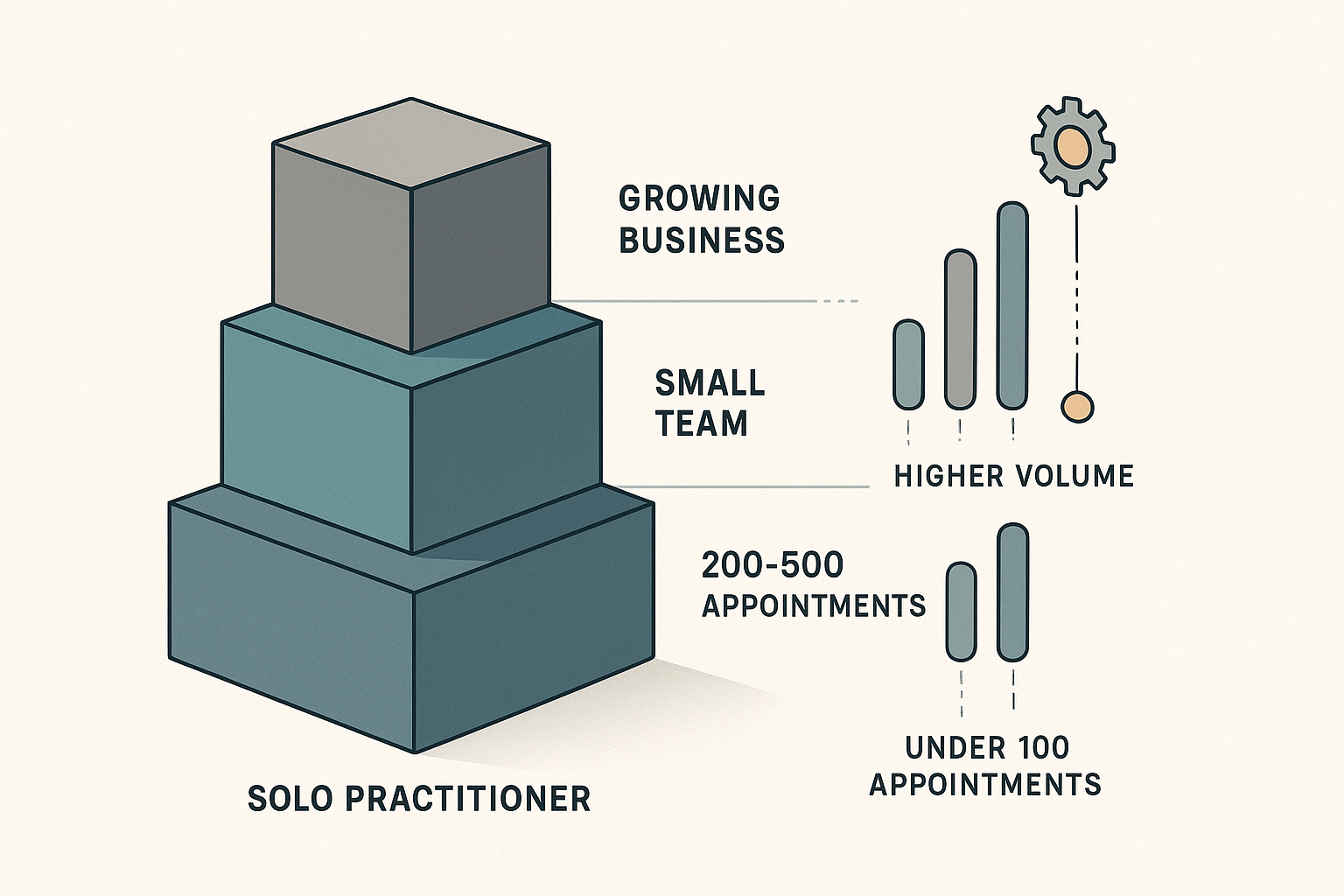
Affordability is contextual. For solo practitioners and micro businesses handling under 100 appointments per month, 'affordable' typically means $0 to 50/month. Small teams booking 200 to 500 appointments may find value in the $50 to 200/month range, while growing operations often budget $200 to 500/month for advanced automation, integrations, and analytics. No single source provides authoritative cost floors across all platforms, verify current pricing directly with vendors, as promotional tiers and feature gates shift frequently.
Pricing Models Explained: Flat-Rate vs. Per-User vs. Usage-Based
Flat-rate plans charge a fixed monthly fee regardless of call or booking volume, offering predictable budgeting for steady-state operations. Per-user pricing scales linearly with team size, which can become expensive as headcount grows. Usage-based models, like EchoLeads' approach[10], charge only for actual calls or bookings processed, ideal for seasonal businesses or unpredictable lead flow. Hybrid structures combine a base subscription with per-transaction fees. Choose flat-rate for consistent volume, per-user when team collaboration justifies the cost, and usage-based when fluctuation is the norm.
Total Cost of Ownership: Hidden Fees and Add-Ons
Sticker price rarely equals total cost. SMS reminder fees ($0.01 to 0.05 per message) accumulate quickly at high volumes. Payment processing integrations may levy 2 to 3% transaction fees. Calendar sync, CRM connectors, and white-label branding often live behind premium tiers. Minimum seat requirements lock small teams into paying for unused licenses. Some platforms bundle these features; others itemize them. Before committing, map your must-have integrations and estimate monthly message volume to calculate true cost.
Cost vs. Human Receptionist: The ROI Threshold
A part-time receptionist working 20 hours per week at $15/hour costs $1,200/month; full-time at 40 hours runs $2,400/month, excluding benefits and training. If an automated platform saves 10 hours per week of manual scheduling labor, it delivers roughly $600/month in opportunity value. Any solution priced below that threshold, and handling booking, reminders, and follow-ups without human intervention, pays for itself in reclaimed staff time. Platforms offering 24/7 operation extend this ROI by capturing after-hours inquiries no receptionist could handle, widening the affordability case even at higher monthly rates.
Calendar-link tools like Cal.com and Square deliver predictable costs and work well for email-driven leads, but require customers to self-book, after-hours phone callers often abandon without human or AI contact. AI voice agents add $50-200/month yet autonomously convert inbound calls 24/7, justifying cost when losing even 2-3 leads per month to missed calls.
As AI voice technology matures, expect per-minute pricing to drop and integrations to deepen, autonomous booking will become table stakes for service businesses by 2027, not a premium feature.
Compare your current lead sources (phone vs. Web), estimate monthly after-hours call volume, then trial one calendar-link tool and one AI voice agent to measure booking conversion before committing. For CRM-integrated, compliance-first AI voice booking with omnichannel workflows, explore EchoLeads' deep-dive on AI scheduling tools and complex CRM integration.
Frequently Asked Questions
What is the cheapest appointment booking software for small businesses?
Free tiers from Square, Cal.com, Setmore, and SimplyBook.me offer basic scheduling with limits on users, SMS quotas, and payment processing fees[4][5]. 'Cheapest' depends on hidden costs, free calendar-link tools suit low-volume web leads, while usage-based AI voice agents may cost less than missed after-hours phone leads.
Do I need an AI voice agent or is a calendar link enough?
Calendar-link tools like Calendly and Cal.com require customers to click and self-book, suitable for email or web leads[2]. AI voice agents like EchoLeads and My AI Front Desk autonomously answer inbound calls 24/7, key when after-hours phone inquiries are common or customers won't self-book[3][11].
Can affordable booking software integrate with my CRM?
Most platforms, Square, Acuity, EchoLeads, Emitrr, offer CRM integrations, but depth varies[4][5]. Basic integrations push appointments one-way; bi-directional sync updates both systems automatically. Verify whether your CRM (Salesforce, HubSpot, Zoho) is listed as native or requires Zapier middleware for connectivity.
What compliance requirements apply to automated appointment booking?
Limited authoritative guidance exists on TCPA and call recording for automated systems, consult legal counsel[2]. TCPA applies to outbound calls or SMS; call recording laws vary by state (one-party vs. Two-party consent). Look for ISO 27001 or SOC 2 certifications and audit logs for communications.
How much does it cost compared to hiring a receptionist?
Most small business platforms cost $0-200/month, while a part-time receptionist (20 hrs/week at $15/hr) runs $1,200-2,000/month[1]. Receptionists handle broader tasks during fixed hours; AI voice agents operate 24/7 but focus solely on appointment booking. Software costs 10-20% of receptionist salary for booking alone.
Will a 24/7 booking system actually increase my leads?
Revenue leaks occur when leads call after hours and reach voicemail, then contact competitors[6][11]. After-hours callers often have urgent, high-intent needs[1]. While quantified impact varies by industry, businesses enabling 24/7 booking typically report meaningful increases in booked appointments by capturing otherwise-lost inquiries.
What's the difference between EchoLeads and My AI Front Desk?
Both handle inbound calls autonomously 24/7 with CRM integration[4][5]. EchoLeads emphasizes compliance-first architecture and omnichannel workflows (voice, SMS, chat) with bi-directional CRM sync. My AI Front Desk focuses on simplicity and fast setup for solo practitioners at $44.99/month, ideal for single-location ease of use.
Related articles
6 Best AI Outbound Calling Solutions for Loan Verification
Compare AI outbound calling platforms that verify loan applications 24/7
5 Common Causes of Long Bank Loan Inquiry Call Wait Times
Why do bank customers complain about long wait times for loan inquiry calls? Learn the 5 Common Causes of Long Bank Loan Inquiry Call Wait Times.
4 Best AI Voice Lead Qualification Tools for Insurance
Compare AI voice platforms for insurance lead qualification through automated outbound calls.